
Many current and future users wonder whether they can export the code of a Webflow site to HTML/CSS. The answer is yes. Even some users on the free plan can do it in a few simple steps.
Webflow writes most of the code for you as you design and build your pages. The platform is known for clean, semantic code, even though that code is not mainly written by hand.
When you export your whole Webflow project, you get static HTML, CSS and JavaScript, ready to use. This code can serve many purposes.
By exporting the code to use it elsewhere, however, you lose some of Webflow's advantages, such as the CMS and the Editor, 2 key features of the platform.
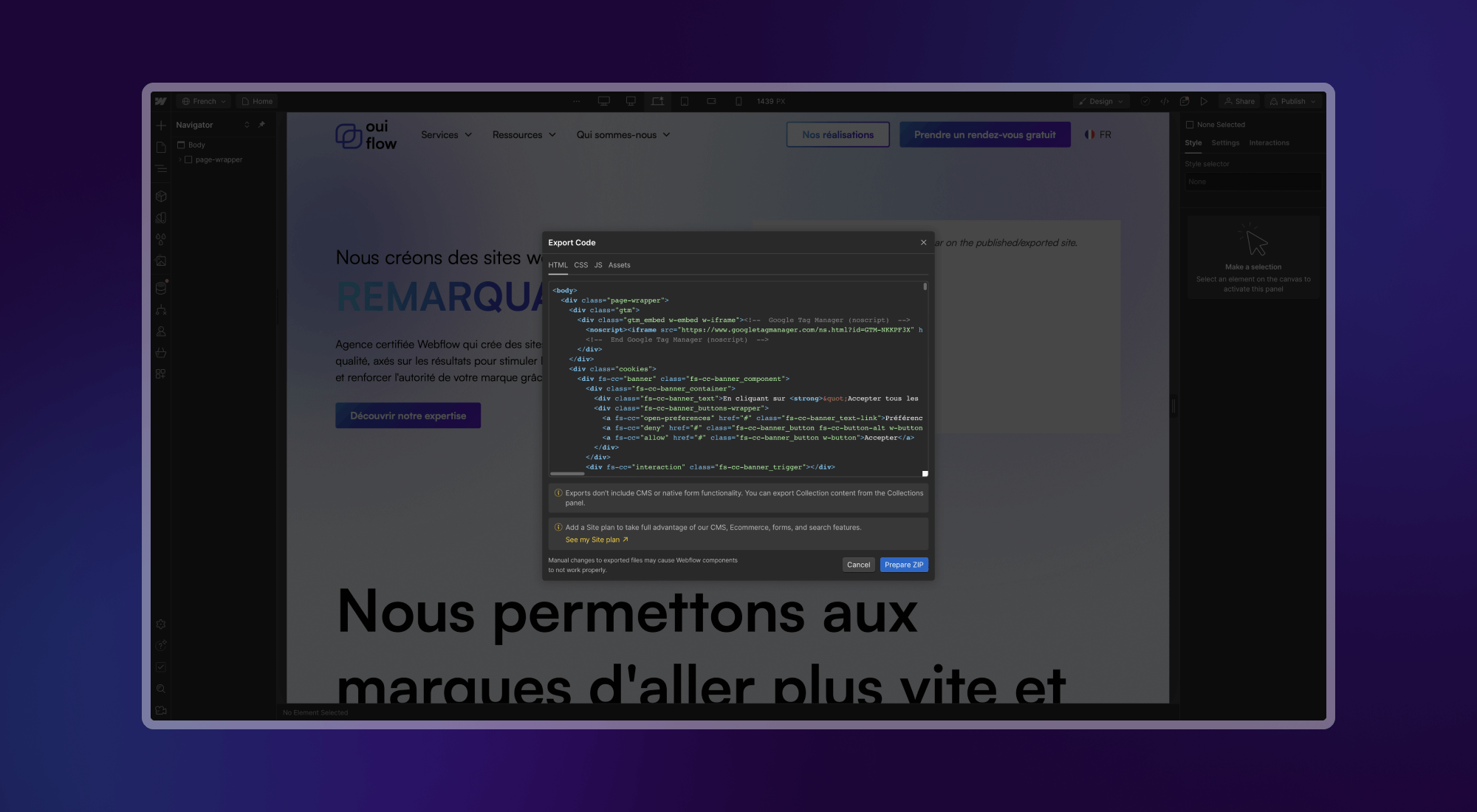
Steps to export Webflow code
Exporting the code is quick and simple. Here is how to do it, step by step.
- Open your project in the Webflow Designer.
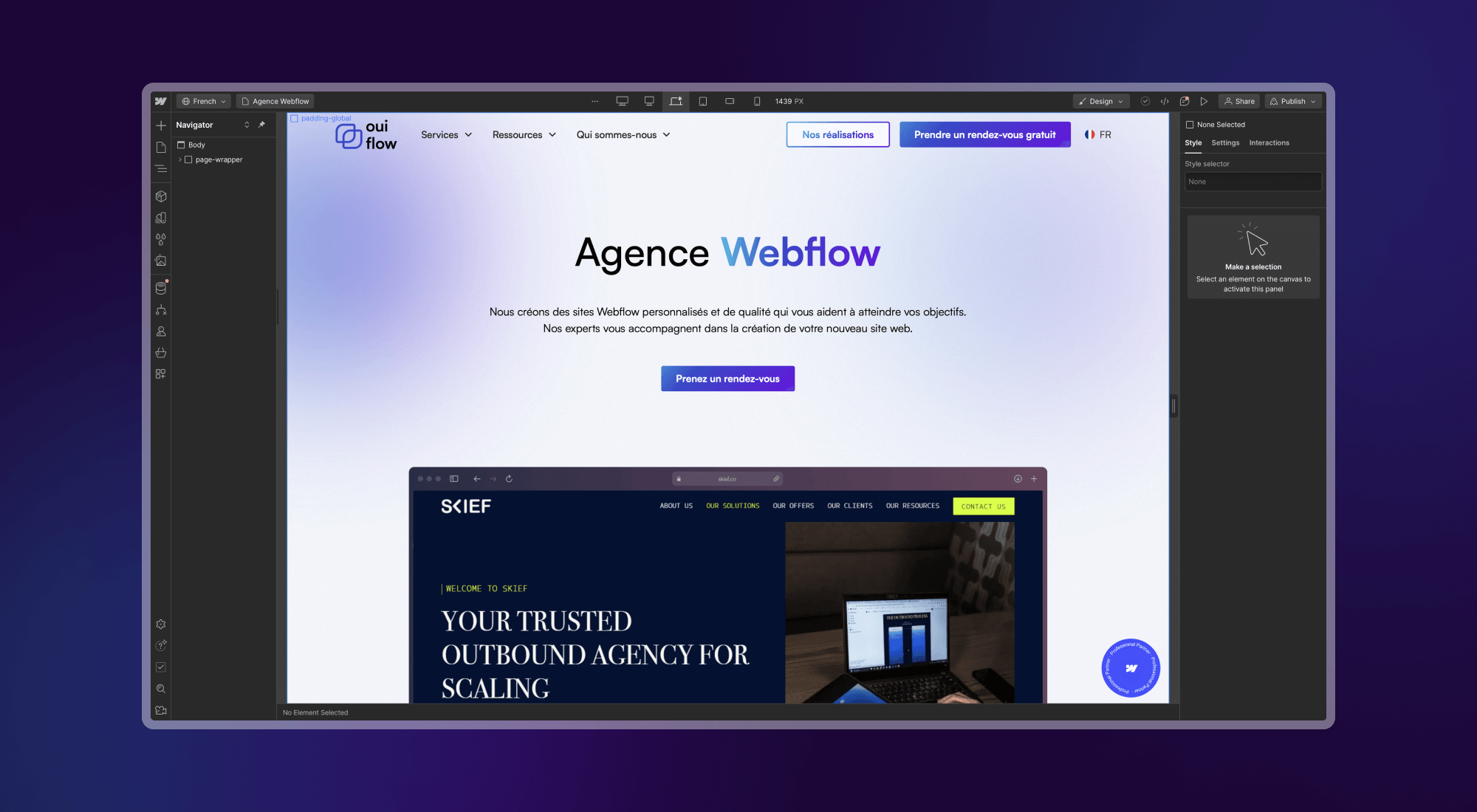
- Click the export icon in the top right corner.

- Download the generated ZIP file, which contains your site's code.

Webflow takes a few seconds to prepare your code. For a complex site, it can take a little longer, but no more than a few minutes.
Exporting Webflow code on a free plan
Code export is reserved for premium Workspaces. If you are on a free plan and studying at an accredited school, you can still apply for a free plan that includes some features normally reserved for paid plans. Once this plan is active, follow the steps above to export the code.
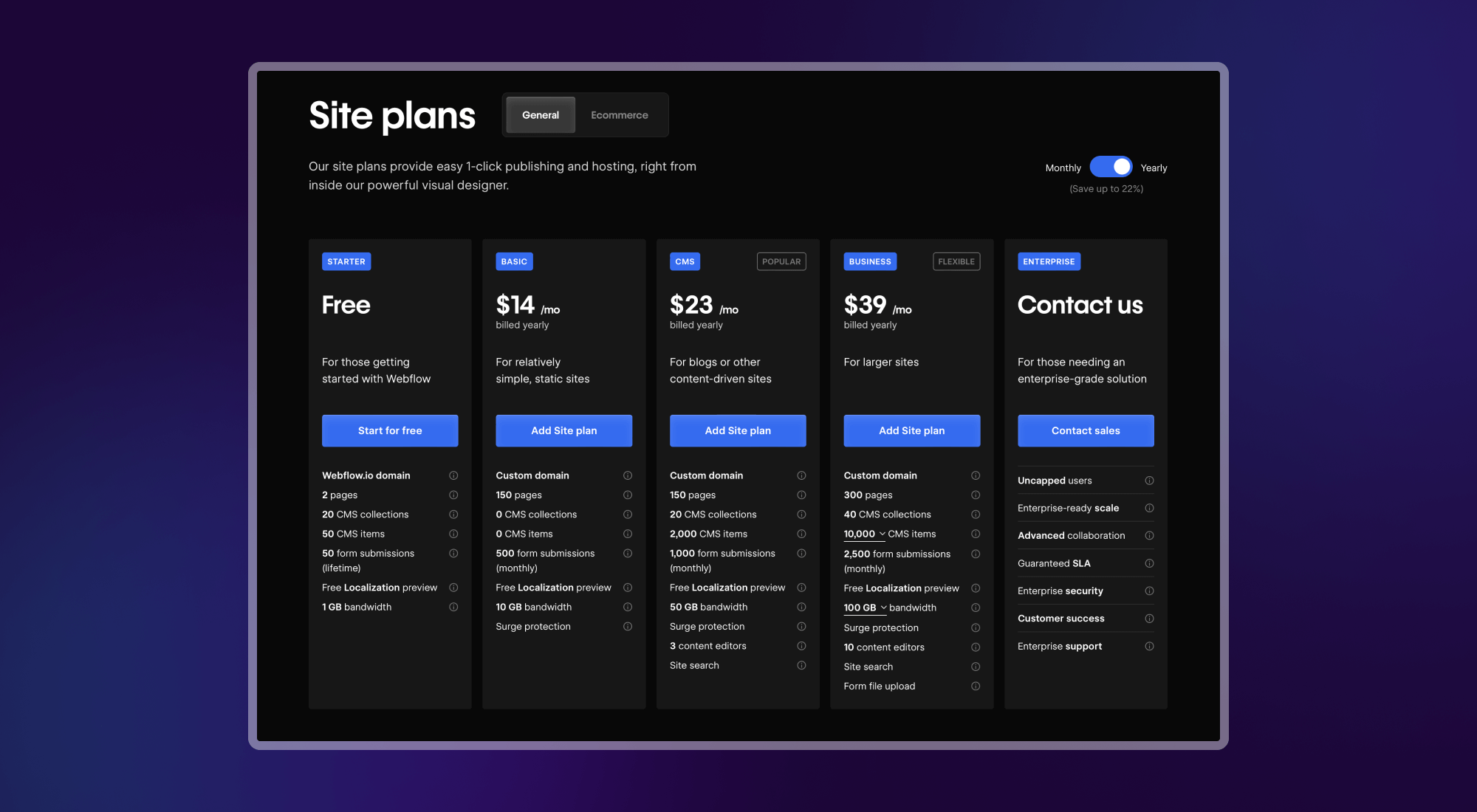
Otherwise, you can always publish your Webflow site and copy its source code. Unfortunately, this method takes many more steps to get a working result.
What a Webflow code export contains
Here is what Webflow's code export covers:
- HTML. All pages and collection templates are included as HTML.
- CSS. You get Webflow's CSS, plus Normalize.css.
- JavaScript. You receive all the JS code needed for interactions and animations. If you do not need some parts of this file, you can remove them to improve performance.
- Images. All images in the media library are exported in the ZIP file.
- Scripts and libraries loaded from remote URLs, such as jQuery, IE9 polyfills and Google Fonts, can be included in the export. The same goes for Webflow interactions.
What a Webflow code export does not contain
Exporting your site disables the features that rely on Webflow's APIs, such as ecommerce, site search, form handling and password protection.
Your collection data is not included either. Webflow generates 1 HTML page per collection, but not a separate page for each collection item. If your site relies on collections, you will need to rebuild the data from your page templates.
Why export code from Webflow
There are many reasons to export the code of your Webflow site.
Since the export gives you raw HTML and CSS, the code can technically be used in almost any project. Most often, it serves as a base for building other platforms.
Users of static site hosts, such as Vercel, Cloudflare Pages, AWS Amplify or Netlify, can also export their code from Webflow. They can upload it to these hosts as is.
Finally, exporting the code lets you add data and dynamic features to your Webflow templates and turn them into simple web apps.