
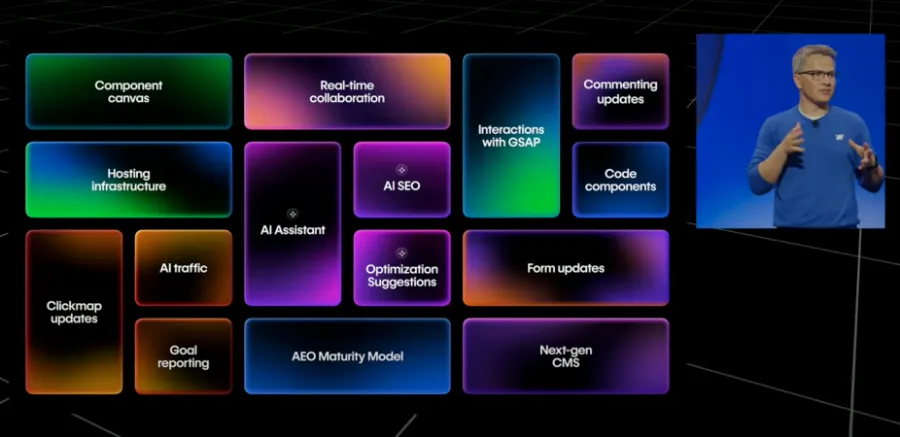
Webflow Conf 2025 marks a turning point for the platform. This edition, centered on artificial intelligence and creativity, presented a series of new features that change the way designers, developers, agencies and marketing teams build, publish and optimize their sites. Webflow announced an agentic AI Assistant, the overhaul of the NextGen CMS, interactions powered by GSAP, the opening of Webflow Cloud and a strong focus on AEO (Answer Engine Optimization). The roadmap is clear. The aim is to make web creation faster, more accessible and more effective.
1) Webflow Conf 2025 vision, the place of AI agents
Webflow starts from a simple observation. AI agents now stand between you and your customers. To stay visible and memorable, your site needs to:
- offer a bold and accessible design,
- rely on structured content that AI can understand (AEO),
- guarantee performance and reliability,
- and convert through personalization and experimentation.
The 2025 watchword is to reduce "collaboration drag", meaning the friction between teams. The time saved goes to creative work, the kind that produces business results.
2) Creation and design with AI Assistant, GSAP and Component Canvas
Next-generation AI Assistant
- It acts as an agentic teammate built into the Designer.
- It understands the context of a section, rebuilds a hero from scratch, reads a hand-drawn wireframe (from a photo) and produces an editable version.
- It adds GSAP interactions and explains what it does.
- It will soon generate interactions with the new IX3 timeline.
GSAP-powered interactions
- Advanced animations (split text, staggers, 3D, scroll) are created directly in the Canvas.
- New controls are coming, with page scoping, breakpoint management (turning off an animation on mobile) and support for the "reduce motion" setting for accessibility.
- Lottie integration arrives later this year.
Component Canvas, a design system that holds up at scale
- A dedicated space lets you design and maintain your components.
- Variants are displayed as frames side by side, props are centralized, pan and zoom are available and cascades are visible live.
- The goal is to gain speed and consistency without limiting creativity.
Code Components (DevLink) and AI
- Starting now, you can import your React components (props, slots, variants), connect them to the CMS, manage locales and test them with Optimize.
- Early next year, AI-generated Code Components (for example a pricing block with a toggle and a slider) will open these possibilities to non-developers.
3) Real-time collaboration and "comment-only" links
- Real-time collaboration lets several contributors work on the same project at the same time.
- "Comment-only" links collect feedback from stakeholders who have no Webflow account. They enter their name and email, then comment directly.
- Reviews go faster and the time to publish gets shorter.
4) Content and AEO with the NextGen CMS, AI audits and FAQs
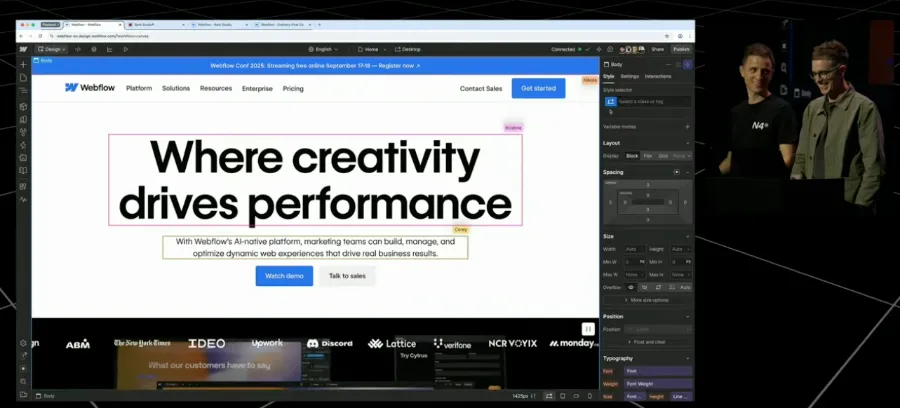
NextGen CMS built for AI
- On volume, the CMS moves to more than 1M items (up to 1M per collection), with roughly 2 times more fields and references.
- On design, you get 2 times more collection lists per page, 5 times more nested lists and multi-level nesting (up to 3), on every plan.
- On delivery, Content Delivery APIs (read-only) go through the CDN to serve your content beyond Webflow.
AEO (Answer Engine Optimization) by default
- In page settings, AI suggests metadata and native schema, including with CMS bindings.
- The audit panel shows AI suggestions and site-wide audits (alt text, missing schema, etc.).
- FAQs at scale encourage citations by AI engines. The example shared showed +20% SEO impressions.
Why does this matter? With AEO, the goal is to appear often and prominently in the answers given by AI agents, on top of ranking each page well.
5) Measurement and growth with Analyze and Optimize
Webflow Analyze (add-on)
- Click maps and scroll maps appear directly in the Canvas, including on hidden elements.
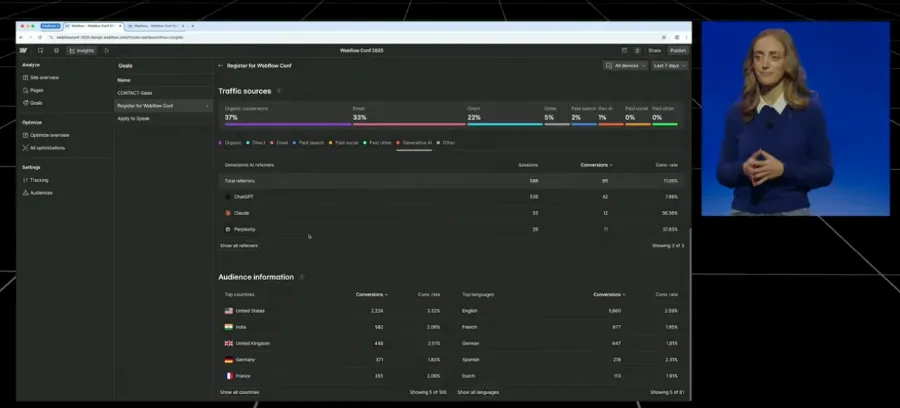
- Goal tracking shows conversions, the pages that perform or not and the best traffic sources.
- A new source, AI referrals, isolates traffic coming from ChatGPT, Claude or Perplexity so you can measure and optimize it.
Webflow Optimize
- The tool brings together A/B testing, personalization, AI optimization suggestions (which generate on-brand variants) and the "Apply winner to base" feature to apply the winning version in 1 click.
- "Generative AI traffic" targeting can be combined with other criteria such as geography or language.
- Optimize also works outside Webflow (for example on Shopify) to unify your optimization strategy.
6) Performance and cloud with Cloudflare, Webflow Cloud and AppGen
Cloudflare for everyone
- 99% of assets are served at the edge, with built-in DDoS protection and instant scaling.
- AI crawlers are controlled through robots.txt and ai-lms.txt. They are blocked by default, unless explicitly allowed.
Webflow Cloud and AppGen (CodeGen Web Apps)
- You can host web apps alongside your site.
- With AppGen, AI generates an Astro app connected to your CMS, reuses your design system, spins up a test environment, runs lint and tests, writes the documentation and deploys to your Webflow Cloud domain.
- The demo showed an events calendar (monthly list, detail pages and Google Calendar link) built from prompt to production.
7) Community and ecosystem, hub, University, challenges and marketplace
- A new community hub (resources, discussions, events, role-based spaces) arrives by the end of the year.
- The Global Leaders Program is back with applications, onboarding and mentoring.
- Webflow University offers its 1st recognized certification, learning paths by profile and guides for freelancers, agencies and developers. AI workshops are planned.
- The GSAP and Interactions challenge was won by Victor Work. On October 22, a large challenge with Contra offers $50,000 in prizes, including $25,000 for the winner, along with visibility with clients.
- On the template marketplace, the creator commission rises to 95% and selling on external platforms becomes possible.
8) Availability timeline
Available now
- Code Components (DevLink)
- Webflow Optimize (A/B testing, personalization, AI suggestions, apply winner, AI traffic targeting)
- Webflow Analyze (add-on), with maps and goals already in place and AI referral views this month
This month
- New GSAP controls (breakpoints, reduce motion, scoping)
- New AI views and expanded goal tracking in Analyze
Next month
- General availability of AI-assisted AEO and SEO (metadata and schema per page, site-wide audits)
Later this year
- AI Assistant (new version)
- Component Canvas
- NextGen CMS (volume, design, APIs)
- Comment-only links
- Lottie integration in interactions
Early next year
- AI-generated Code Components
- AppGen and CodeGen Web Apps (broader access) on Webflow Cloud
9) FAQ
What are the major new features from Webflow Conf 2025?
The main announcements cover the new AI Assistant, the NextGen CMS that can handle more than 1 million items, built-in GSAP interactions, real-time collaboration, the arrival of Webflow Cloud to host web apps, and advanced tools for AEO, analytics (Analyze) and optimization (Optimize).
What is Webflow's AI Assistant?
The AI Assistant is a teammate built into the Designer. It rebuilds sections, interprets a hand-drawn wireframe, applies GSAP animations and generates reusable code. You save time on execution and focus on creativity.
How does Webflow's NextGen CMS work?
The NextGen CMS lets you go beyond 1 million items per collection. It offers more fields and references, up to 3 levels of nested lists and Content Delivery APIs to distribute your data beyond Webflow.
What is AEO (Answer Engine Optimization)?
AEO means optimizing your content so it gets picked up in the answers generated by AI engines such as ChatGPT, Claude or Perplexity. Webflow now includes AI audits, native schema and FAQs at scale to increase your chances of being cited.
Are Webflow Optimize and Analyze included by default?
- Analyze is available as an add-on. It offers click maps, scroll maps and tracking of AI referrals.
- Optimize is built in. It lets you run A/B tests, personalize the experience and apply AI recommendations in 1 click.
What does Webflow Cloud bring?
Webflow Cloud runs on the Cloudflare network (more than 330 cities in 125 countries) to deliver speed, security and reliability. It hosts AI-generated web apps (AppGen) right next to your site, with 1-click deployment.
When will the new features be available?
- Code Components (DevLink), Optimize and Analyze (add-on) are already available.
- AI Assistant, Component Canvas, NextGen CMS, comment-only links and new GSAP controls arrive in 2025.
- AI-generated Code Components and CodeGen Web Apps via Webflow Cloud are planned for early 2026.
Conclusion
With these announcements, Webflow shows its ambition. The platform wants to give creatives and technical teams alike the means to experiment, innovate and get results on a web increasingly shaped by AI.
Visibility in AI engine answers, components and apps generated in a few clicks, simpler collaboration at scale, all these new features pursue the same goal. The aim is to free up execution time and spend it on creativity and added value.
Born as a no-code design tool, Webflow becomes in 2025 a complete platform that brings together design, content, performance and artificial intelligence.