
Introduction
On April 16, 2024, Figma launched several new features that simplify design and development work. Among them, font variables make communication between Figma and Webflow much easier. Here is how they improve your Figma-Webflow workflow.
What are font variables in Figma?
Font variables let you link the following properties to a typography style variable:
- Font family.
- Font weight.
- Font size.
- Line height.
- Letter spacing.
- Paragraph spacing.
With these variables, designers define consistent type scales and apply them the same way on every device. This is what keeps a complex design system consistent.
How do you use these variables in font styles?
Using font variables is very simple. Create a variable, then link it by clicking the small diamond that matches the "bind variable" function in Figma.
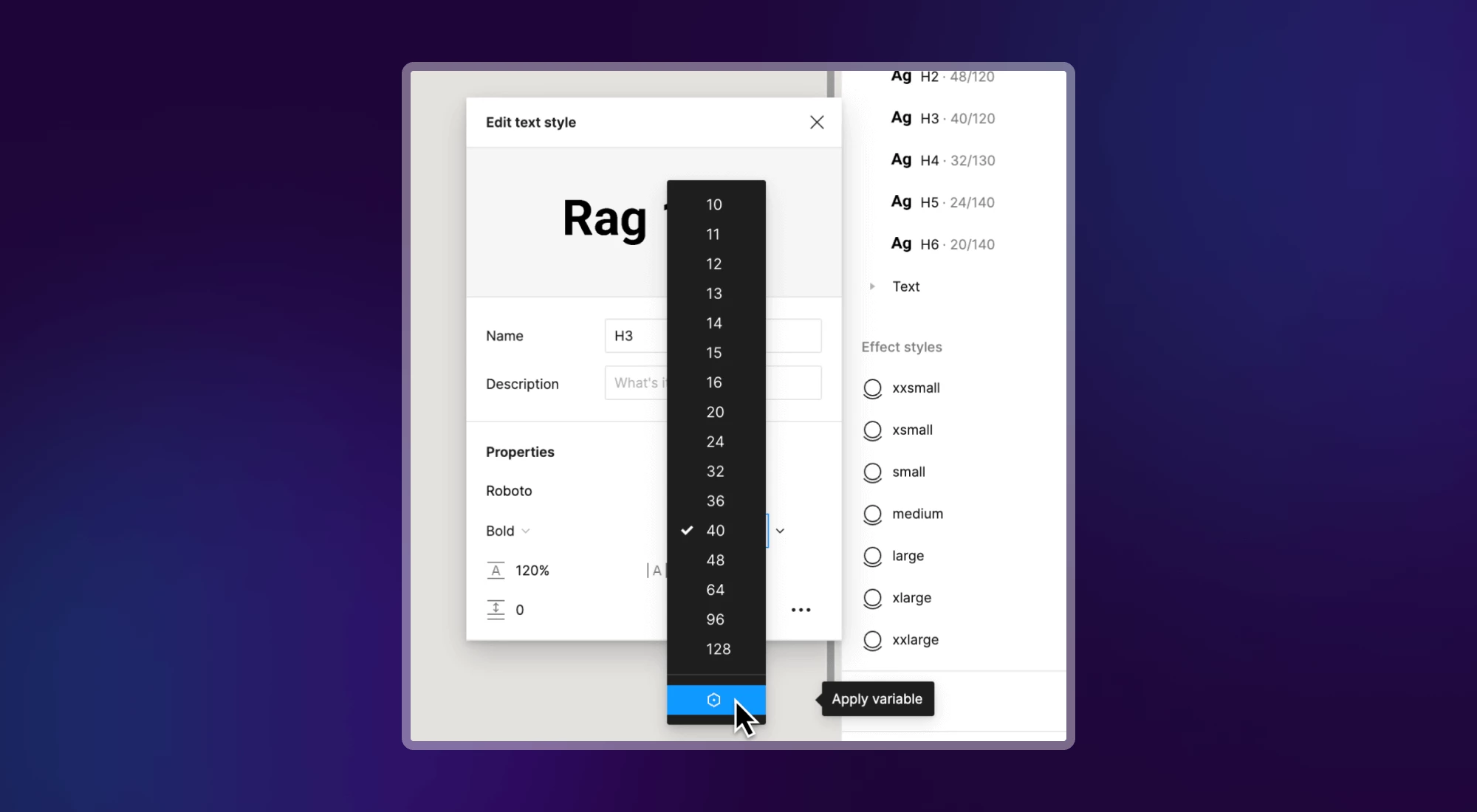
The supported variable types are the following:
- The String type (text) is used for font family and font weight.
- The Number type is used for font size, line height, letter spacing and paragraph spacing.
What is the difference between a variable and a style?
A style lets you combine several variables. Styles complement variables and give you an organized way to define how your typography looks. For example, the H1 style can group variables for font size, font weight and line height.
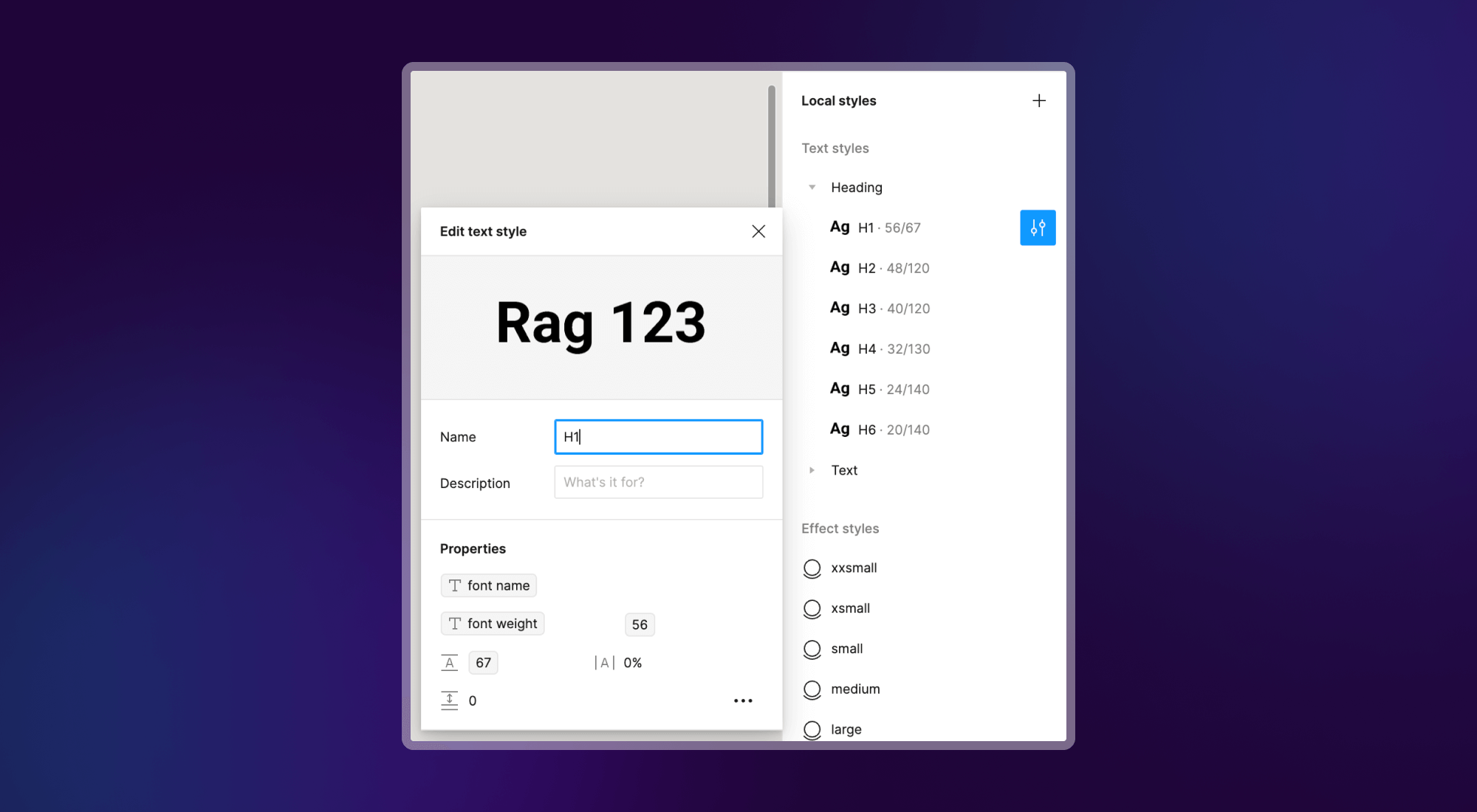
With font variables, you no longer need to duplicate styles for each device (desktop, tablet, mobile). Managing the design system in your mockups gets simpler.
Benefits of font variables for typography
For designers and developers
For work between designers and developers, the main benefits are the following:
- Visual consistency holds effortlessly across all your interfaces.
- Efficiency goes up, because review and correction rounds between teams decrease.
Font variables in Webflow
Webflow already lets you use variables for text. To learn more, read our complete guide to the magic of Webflow variables.
With the Figma to Webflow plugin, you change a variable's value in Figma and sync the changes to your Webflow site in 1 click. Say you want to change your H1 size from 64px to 96px. Change the variable in Figma, run the sync with the plugin, and your site is updated right away.
Conclusion
Font variables bring design and development closer, with better integrated and synchronized processes. By adopting them, you improve the quality of your designs and deliver them faster. You also respond more quickly to your audience's needs.
To help you understand and use these features in your projects, we are sharing a video from Figma. It presents what they make possible and helps you evolve your design workflows today.