
What is no-code?
Everyone knows what code is today. A new movement has appeared alongside it, no-code. This 2023 no-code guide explains what it covers and how to get started.
As the name suggests, no-code is the opposite of code. You no longer need to code everything to get the same result. No-code lets you create software (websites, video games, apps and more) using a visual interface that makes the creator's work simpler.
Visual interfaces such as WordPress, Elementor or Webflow drove the rise of no-code. To create an element, users simply drag and drop it instead of writing line after line of code.
No-code has several goals. It makes content creation simpler, saves time with ready-made blocks of code and makes software creation accessible to everyone.
What is the difference between no-code and low-code?
Do not confuse these 2 approaches. No-code requires no code and no particular programming knowledge to create content.
Low-code, on the other hand, requires some prior knowledge. You build your project's logic yourself, with a tool that does not make you write in a programming language.
Most of the time, the 2 work together. Take building a website. The visual part (how the site looks to users) is done in no-code, with tools such as WordPress, Shopify or Webflow. The logic part of your site is done in low-code, with tools such as Google Sheets or Airtable, and only you can see it.
The right choice depends on the project you want to build.
Why get into no-code in 2023?
There are many reasons to get into no-code. Here are a few:
- There are fewer and fewer developers on the market, while demand from companies stays strong. A young company does not always have the budget to pay a developer for its website.
- That is where no-code comes in, since you can build your company's website yourself, at a lower cost.
- No-code is simpler and faster to learn than code.
- No-code training programs are multiplying in many countries, and so are online resources. You can build your skills quickly and easily.
- Once you have mastered no-code, it will be easier to update your site.
- For your updates, you will no longer need a developer, since you will know how to do it yourself. You can change your site as many times as needed until it suits you.
- There are more and more no-code tools. They let you create many things (websites, video games, apps and more) and are within everyone's reach.
- No-code keeps growing and will create a market with strong demand in the coming years. You might as well start learning now.
- Some of these new no-code tools make you more productive.
- Tools such as Notion or Zapier automate part of your tasks. The time you save lets you do more, then build a business strategy that takes this automation into account.
What can you do with no-code?
No-code tools let you create a huge range of things, such as websites, apps, video games and many other, more concrete projects. Here are a few examples:
- Send automated emails to make your communication easier. Your contacts receive the right emails at the right time.
- Collect information about your prospects by receiving your contact forms, quote requests and newsletter sign-ups directly from your website.
- Simplify appointment booking with no-code tools such as Zcal or Calendly, which manage your appointments based on your availability and your activity.
- Add a member area with paid access. Your users pay to access your content.
- Automatically translate your website into any language in a few clicks, with no-code tools such as Weglot.
- Chat live with your prospects by adding a chat tool. You engage your users, create conversation scenarios and connect them with conditions.
Learning no-code, where to start?
No-code is easier to master than code. You still need to learn how to use the tools and, above all, show creativity and imagination.
1. Web culture
To get off to a good start, build a solid web culture. It will let you go further with no-code without being held back.
Learn the basic concepts, such as SEO, APIs or DNS. You do not need to be able to build them yourself. You just need to understand what they are and when to use them.
Also keep up with web news in general. Read articles about no-code, study your competitors and watch for what is new. Your web culture will grow little by little.
2. Marketing
The projects you build with no-code will often have a professional purpose. So you need to know how to build a marketing strategy so that your project generates revenue.
You need to identify your market and your audience, then create a product that meets a need. Once these criteria are defined, building your project with no-code will be easier.
3. Learning to code
No-code does not require code, as the name suggests. Mastering code is still a real plus.
If you understand the logic of code, it will be easier to create and improve your no-code projects. What you learn will also let you give your projects a more personalized touch.
4. Mindset
When you learn a new field, you cannot be perfect from the start. Building skills takes time, and no-code is no exception.
You need to build the product and think about how it will evolve, while meeting the needs of the company and its customers. That takes time and experience, so be patient.
No-code agencies
Today, some agencies bring together no-code experts, such as Ouiflow.
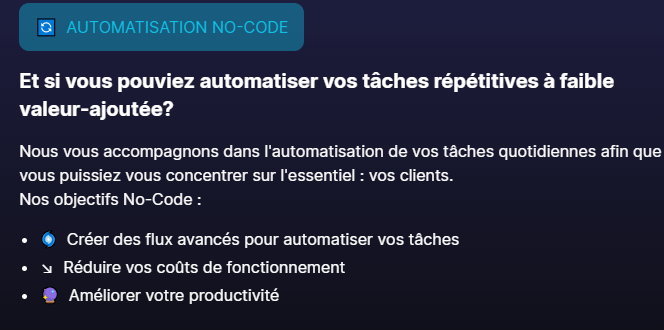
Our experts help you:
- Identify the tasks to automate, by drawing diagrams that list the recurring tasks you want to automate.
- Design custom automations suited to each task identified.
- Test and iterate, by running many verification tests before deployment to avoid any problems.
- Learn the no-code tools, so you can handle your new tools without depending on an agency or a third party.
.webp)
Conclusion
No-code is only getting started and will keep growing. The market is still taking shape. New no-code tools arrive regularly, and existing tools improve every day.
Finally, demand for no-code skills will increase and create new jobs.