
Discover Swiper.js, the most modern and most widely used touch slider. Easy to integrate into your Webflow site, Swiper.js offers great flexibility and very good performance for building mobile-friendly touch carousels. This article covers the basics of Swiper.js and 5 remarkable projects you can clone directly into your Webflow workspace.
What is Swiper.js?
Swiper.js is a free, powerful JavaScript slider library. It is known for its mobile responsiveness and its very good performance on touch interfaces. That makes it an ideal choice for developers who want to build dynamic carousels on responsive sites.
The advantages of Swiper.js
To integrate Swiper.js into Webflow, start by adding the Swiper script to your project. A few lines of HTML and JavaScript are then enough to create custom sliders on your Webflow site.
The 5 best Swiper.js projects to clone
Here are 5 projects built on Swiper.js that you can clone to enrich your Webflow site.
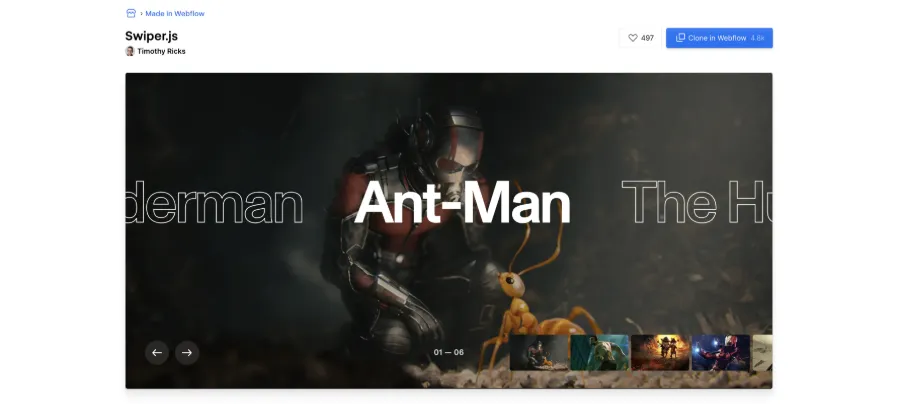
1) CMS Swiper.js Full Screen Hero Interaction, by Timothy Ricks
This project uses Swiper.js to scroll the background image in an interactive, engaging way.
You can clone the project directly.
2) CMS Swiper.js with slide center, by Tinyflow
This project uses Swiper.js with the "slide center" setting to highlight a specific element.
You can clone the project directly.

3) CMS Swiper.js scale center slide, by Scaler Marketing
This project uses Swiper.js to apply an animated scale effect to the central element of the carousel.
You can clone the project directly.

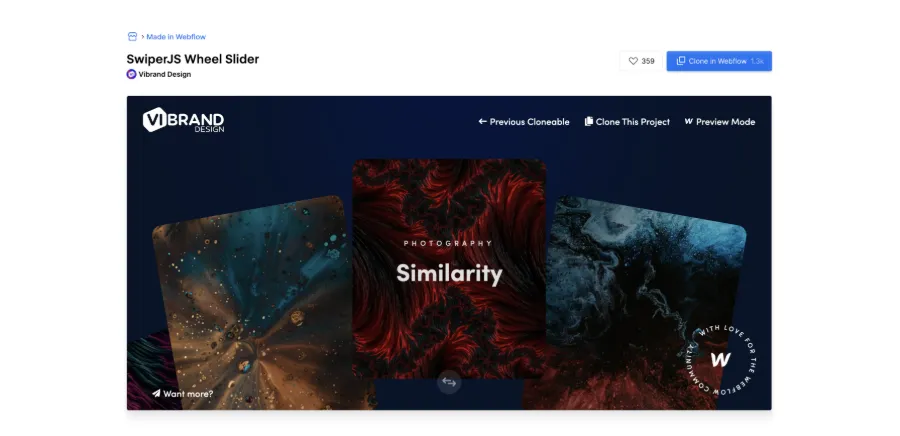
4) CMS Swiper.js Wheel Slider, by Vibrand Design
This project uses Swiper.js with a wheel effect and a very polished animation.
You can clone the project directly.
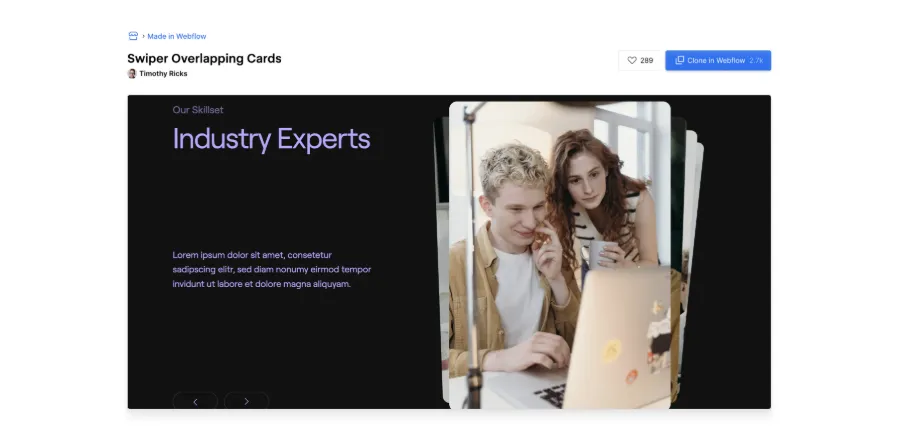
5) CMS Swiper.js Overlapping Cards, by Timothy Ricks
This project uses Swiper.js with an overlapping cards effect and a remarkable animation by Timothy Ricks.
You can clone the project directly.
Conclusion
Swiper.js is a powerful tool for improving the user experience of your Webflow site. These projects to clone let you set up quality visual effects quickly.
One last tip from us concerns the accessibility of your Swiper.js. By adding a small piece of code to your Swiper configuration, you clearly improve its accessibility.