
The Client-First approach in Webflow is a methodology literally centered on putting the client first. It aims to optimize the user experience by putting the client's needs and preferences at the center of every project decision. It has become a reference for building effective, engaging websites. Its goal is simple. Anyone who joins the Webflow project (developer, marketer, designer, content creator) should be able to understand how the site is built.
In this article, we present the core principles of the Client-First methodology, its benefits and how to apply it effectively in your Webflow projects.
What is the Client-First methodology in Webflow?
The Client-First methodology is a Webflow design and development guide. It puts the needs and expectations of the end client first at every stage of building the site. It aims for an optimal user experience. The site should look good, but above all it should be functional, accessible and easy for the end user to navigate.
The core principles of Client-First
- Easily understand how the site is built. Before Client-First, every Webflow developer used their own technique, their own methods and their own way of naming elements. Taking over an existing project without knowing its original structure was hard. Client-First introduced a unified method. With a standardized approach to building Webflow sites, understanding and evolving Webflow sites becomes much simpler, for developers and clients alike.
- A unified structure. Client-First aims to create Webflow sites that are easy to evolve by handing control back to marketing teams, so they no longer depend on developers. Setting up a unified structure is at the heart of this approach, because it simplifies updates and changes. Marketing teams manage the site better. They adapt content and structure to the company's needs without constantly waiting for technical help.
- REM units for sizing. Client-First uses REM units to get a design that is both flexible and responsive. This approach supports Fluid Responsive Design, which lets Webflow sites adapt smoothly to a wide range of screen sizes. When elements are defined in REM, the scale and size of components adjust proportionally. Users get a consistent, accessible experience on every device. To go further, read our article with more details on REM units.
- Utility classes and a clear organization. With smart spacing and utility classes, Client-First provides a consistent design structure and a clear, efficient organization. Customization is simpler, and this strategy also helps reduce load times. By limiting the number of CSS elements with utility classes, you get lighter, faster sites, and therefore a better user experience in Webflow.
- The role of the style guide in Client-First. The style guide keeps the development and maintenance of Webflow sites consistent and efficient. It serves as a shared reference for teams and makes communication between developers and designers easier. It also helps keep the user experience uniform across the site by standardizing visual elements such as fonts, colors and interface components.
Implementing Client-First on a Webflow project
1. Copy and paste the style guide
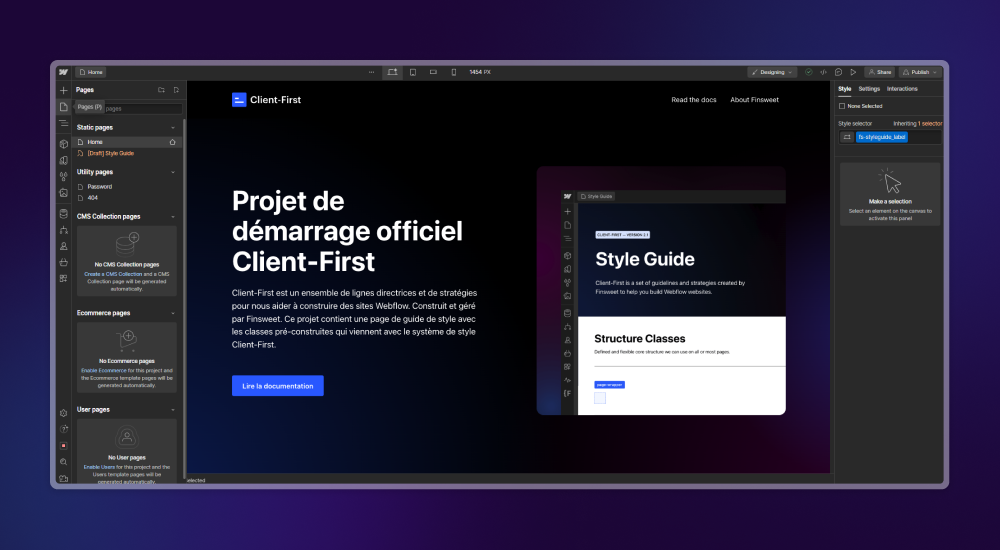
To apply Client-First to your Webflow projects, start by adding the style guide. Webflow offers a Client-First Cloneable that contains a complete style guide built with predefined classes. By cloning it directly into your Webflow dashboard, you start from a solid, consistent base. The style guide gathers the basic elements (typography, colors, spacing, interface components), organized so you can reuse and customize them easily.
To add the style guide to your Webflow project, follow these steps:
- Open the link above to access the Client-First Cloneable on Webflow.
- Use the clone option to add the style guide to your Webflow dashboard.
- Browse the cloned style guide to get familiar with the available classes and elements.
- Use these elements in your projects and adapt them to your site's vision.
2. Add every style guide element from the Figma design system
To move smoothly from the Figma design system to the Webflow style guide, align design elements and naming conventions from the start. The method is simple. Take inspiration from the Client-First style guide as soon as you start building your design system. When the Figma design system matches the Webflow style guide, the developer who builds the mockup in Webflow has an easier job. You also keep the whole site creation process consistent and efficient.
3. Name your sections and animations the Client-First way
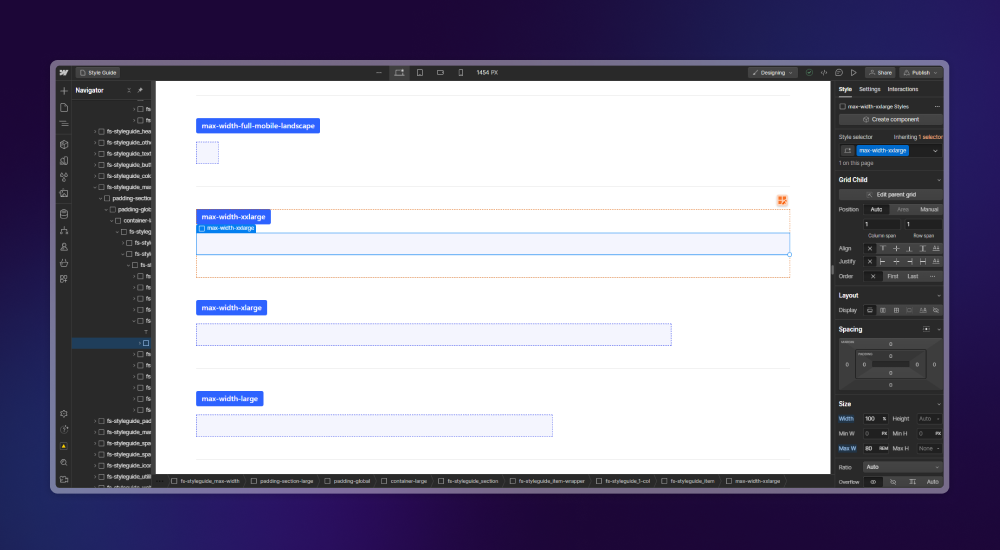
To name your sections and animations in Webflow the Client-First way, adopt a clear, systematic naming strategy. It makes your projects easier to understand, maintain and evolve. Here is how to do it, based on the Client-First class strategy.
Use custom classes and utility classes
- Custom classes. They name the sections and elements specific to your site. They should be descriptive and reflect the element's function or content. For a header section, for example, use
header-principal, and avoid a generic name likesection1. You can then spot the role of each section quickly when you navigate the Webflow project.
- Utility classes. They handle repetitive styles and small adjustments. You reuse them across the project to apply common CSS styles such as padding, margin or text color. Classes like
padding-20ortext-color-primarykeep the design consistent and make styling simpler.
Name your animations
When you create an animation, give it a name that clearly describes its action or effect on the element. An animation that slides an element in from left to right could be called slide-in-from-left, for example. You and your team can then find and reuse animations easily across the Webflow project.
Stay consistent and clear
- Prefixes and suffixes. They organize and differentiate classes. A prefix can indicate the element type (
bouton-for buttons,text-for text). A suffix can describe the state or variant (hover,active).
- Consistency across the project. Make sure the whole team follows the same naming conventions. Consistent class and animation names make collaboration, maintenance and site updates easier.
With a Client-First naming strategy for your sections and animations, you lay solid foundations. Development becomes more intuitive and efficient. Your site stays organized, accessible and easy to navigate, for developers and end users alike.
4. Keep an organized, scalable structure
With Client-First, an organized, scalable structure helps a Webflow site last and adapt to future changes. It takes careful planning and thoughtful implementation from the start of the project. Here are a few points to get there:
- Adaptable page structures. Client-First takes a modular approach. Designers think of page elements as interchangeable blocks. Updates and changes are easy, with no full redesign, and the site can grow with your needs.
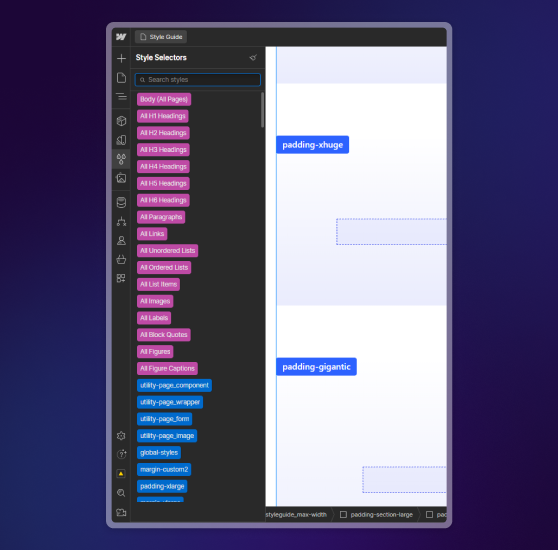
- Systematic components. Reusable components and styles standardized with global classes make the site easier to extend and maintain. Buttons, forms and header sections stay consistent across the site and can be changed in a single place.
- An intuitive naming strategy. Clear, descriptive names for classes and interactions simplify the initial build and future updates. When names reflect function or content, developers and designers can navigate and edit the site without confusion.
- A thoughtful use of REM and utility classes. REM units for sizing and spacing make the design responsive on every device. Utility classes apply recurring styles without bloating the CSS, which makes the site lighter and faster.
- Documentation and collaboration. Complete documentation and open communication within the project team keep the structure organized. Document design choices, class structures and component systems. Every team member can then work consistently, even when the team changes or the project grows.
By building these Client-First principles into your Webflow project's structure, you create a solid base for your current and future needs. An organized, scalable structure helps a Webflow site last. It adapts flexibly to design trends, market demands and the changing goals of your company or your clients.
5. Think as a team so everyone understands how the site is built
The project's success depends on effective collaboration and a shared understanding of how the site is built. Every team member should be able to navigate, understand and contribute to the project easily, whether they are a developer, designer, writer or marketer. Here is how to get there:
- Create a single source of truth. Client-First encourages you to use a style guide and a design system as the central references for the project. These resources should be accessible to the whole team and serve as the reference for styles, components and naming conventions. Everyone then works with the same information, which reduces inconsistencies and errors.
- Document thoroughly. Documentation helps the team understand the structure and the logic behind how the site is built. It includes the style guide, along with explanations of page structure, interaction flows and design choices. Keep it up to date and easy to access, ideally in a shared online tool.
- Use descriptive class names. A clear naming strategy for classes and interactions helps the whole team understand the project. Names should reflect the element's function or content. Anyone can then quickly see what a class is for or how an interaction should work, even without context.
- Train and share knowledge. Training sessions and workshops on Webflow and on Client-First principles clearly improve the team's ability to work on the project. Knowledge sharing and regular code and design reviews also support continuous learning and team cohesion.
- Rely on collaboration tools. Use Webflow's built-in collaboration tools and other platforms for real-time communication and feedback. Comments, assigned tasks and discussion threads clarify responsibilities, track progress and solve issues quickly.
- Share ownership. Build a team culture where everyone feels responsible for the quality and success of the project. Encourage contributions from every role and value everyone's feedback and ideas to keep improving the site.
With these practices, building the Webflow site becomes a collective effort. Every team member contributes effectively and understands how the site is built. Efficiency and quality improve, and so do the team's engagement and satisfaction.
To sum up
The Client-First approach for Webflow changes how you design and develop a site by putting the end user's needs at the center. It supports close collaboration within teams and relies on specific practices such as a unified structure, REM units for flexible responsive design, utility classes and a solid style guide. Together, these elements produce sites that are good-looking, functional and accessible.
If you adopt Client-First, keep these points in mind:
- Put the user experience first in every aspect of the project.
- Support collaboration between all team members.
- Adopt a modular structure to make evolution and maintenance easier.
- Keep clear documentation to stay consistent and efficient.
By applying these principles, you build Webflow sites that meet user expectations, and often exceed them. Client-First is a methodology, and it is also a commitment to quality in web design.