
Maximizing impact, strategies and benefits of A/B testing with Webflow
If you work in digital, you know that Webflow has come a long way since its early days. Originally designed as a refined tool for designers and developers, it has become a go-to tool for marketing teams.
Webflow lets you build striking websites, and that is one of its strengths. It also gives marketing teams the flexibility to set up and test different strategies easily.
To optimize a site and improve its conversion rates, Webflow A/B testing is a must.
In this guide, we present a selection of the best tools to get the most out of your A/B tests. You can then make informed decisions that lead to concrete, measurable results.
We then explain how A/B tests work with Webflow. You will see how to set up your tests, run them effectively and analyze the results methodically.
The best tools for A/B testing on Webflow
Optibase (built for Webflow)
It is the only native A/B testing tool for Webflow. Optibase integrates directly into the Webflow Designer, so you can set up your tests without leaving the tool.
- Pricing starts at $19 per month. With annual billing, 2 months are free, which brings the price down to $16 per month. The highest plan costs $79 per month.
- The tool is simple, lightweight and fully integrated with Webflow. It segments the audience by geolocation and screen size.
- The features are still being developed, and detailed reports are expected soon.
Google Analytics 4 (GA4)
This free A/B testing solution is included in the Google Analytics 4 platform. It offers basic testing features.
- The tool is free, since it is included in Google Analytics 4.
- It integrates with other Google services (Ads, Merchant Center) and its interface is easy to learn.
- Its features remain limited compared with paid solutions, and advanced uses take time to learn.
VWO
VWO is a complete A/B testing platform, with advanced features such as heatmaps and session recordings.
- There is a free plan, then pricing is custom (from $339 per month).
- Its analytics are powerful and complete. Heatmaps and session recordings help you understand visitor behavior.
- It takes longer to learn and costs more than other options.
AB Tasty
AB Tasty is an A/B testing platform designed for large companies. It focuses on personalization and user experience optimization.
- Pricing is custom.
- Its personalization features are powerful and its targeting options advanced. It is a very good fit for large companies.
- The cost is high and the setup complex. The tool can be oversized for a small site.
VWO
VWO brings A/B testing, heatmaps and session recordings together in a single platform.
- A free plan is available, and custom pricing starts at $339 per month.
- The analytics are rich, and both heatmaps and session recordings give a detailed view of the visitor journey.
- The tool has a longer learning curve and costs more than other options.
Crazy Egg
Crazy Egg is primarily a heatmap tool, with basic A/B testing features.
- Pricing starts at $249 per month.
- The tool is presented as affordable. Its heatmaps give a clear visual reading and it stays easy to use.
- Its A/B testing capabilities are limited, which makes it a poor fit for complex tests.
Adobe Target
Adobe Target is part of Adobe Marketing Cloud. It offers advanced A/B testing, personalization and audience segmentation features.
- Pricing is custom.
- It integrates with Adobe's other marketing tools and offers powerful features for large-scale testing and personalization.
- It is very expensive, its setup is complex and it is mostly suited to large companies.
Understanding A/B testing and how it works on Webflow
Let's now look in more detail at how A/B tests work.
The different types of tests
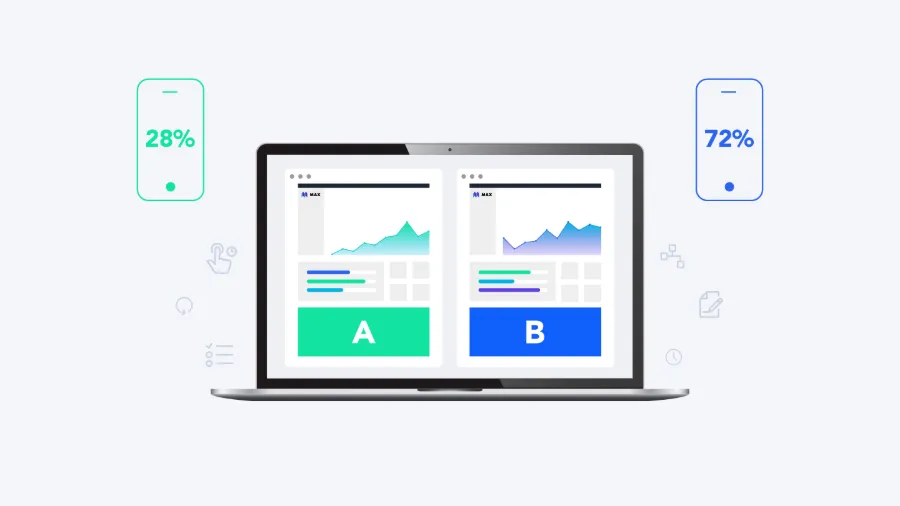
- The classic A/B test is the simplest. It compares 2 versions (A and B). Each visitor randomly sees 1 of the 2 versions, and their performance is compared on key performance indicators (KPIs).
- Multivariate testing (MVT) goes further. It tests several variables at the same time to find the best combination of elements. Beyond comparing 2 headlines, you test different combinations of headlines, images and buttons. The method is more complex, but it shows how elements interact to influence visitor behavior.
- Sequential testing introduces changes 1 by 1, with no simultaneous test of all versions, to observe how visitor behavior evolves. It lets you isolate the effect of each change.
- Split testing is similar to A/B testing, but the audience is divided across different channels or platforms, for example the iOS and Android versions of a mobile app.
- Redirect testing compares 2 separate web pages, and visitors are randomly redirected to one of them. It is often used to test major changes to design or navigation.
- Adaptive testing relies on advanced algorithms. It continuously adjusts how traffic is split between versions A and B based on their real-time performance. You maximize results while still collecting data.
Benefits of A/B testing for marketers
A/B tests show what works best, with numbers to back it up. Here is what they bring:
- Data-driven optimization. A/B tests give you concrete insights to refine your marketing strategy on real data. By analyzing visitor behavior and your key indicators, you spot the most useful changes and make better decisions.
- A better user experience. By testing different aspects of your site, you identify the changes that make navigation more pleasant and intuitive. Engagement and satisfaction go up, and visitors stay longer to interact with your content.
- Higher conversion rates. Optimizing key elements, such as calls to action and landing page structure, directly improves conversions. This can mean more sales, sign-ups or other target actions. A/B tests pinpoint exactly what drives visitors to convert, and you can then apply the right changes.
- Lower bounce rates. Spotting the elements that make visitors stay on your site helps reduce the bounce rate. By testing different headlines, images and content layouts, you find the combinations that hold attention and make people want to explore the site further.
- A better understanding of visitors. A/B tests show how visitors interact with the different components of your site. You can then adjust content and design to better meet their expectations. Your site performs better, because your offer matches their real needs more closely.
Best practices for A/B testing
- Set clear goals and hypotheses. Before launching an A/B test, define precisely what you are looking for. It could be increasing conversions, reducing the bounce rate or improving engagement. Then formulate a hypothesis about the expected effect of the changes. It gives your test a clear direction.
- Test a single element at a time. To know what really influences your results, focus on 1 element per test. Whether it is a headline, an image or a call-to-action button, isolating a single variable lets you attribute any change in performance directly to it. Analysis is simpler and conclusions are more reliable.
- Let your tests run long enough. Your tests need to last long enough to collect enough data and reach statistically significant results. Do not draw conclusions too early from the first observations, or you risk misreading the results. An adequate duration lets you observe how visitor behavior changes over time.
- Aim for a large enough sample. Reliable results require a sample of the right size. Make sure enough visitors take part in the test to detect significant differences between variants. A small sample can lead to unclear or misleading conclusions.
- Iterate based on the results. A/B testing is an iterative process. Once you have analyzed your results, use what you learned to refine your elements. Roll out the winning variant, then keep testing new ideas. Your site improves continuously, and so does your visitors' experience.
Conclusion
Successful A/B testing relies on continuous experimentation and learning. Use the data from your tests to improve your site step by step and make informed decisions. Whether you are just starting or already experienced, these tools will help you optimize your site and your visitors' experience.
With A/B tests, your Webflow site can go beyond your visitors' expectations and improve engagement, customer satisfaction and business performance.