
Innovation within reach
Want to design remarkable websites with Webflow? This article covers the new features announced at Webflow Conf 2023. Whether you are a beginner or an expert, these platform updates will interest you.
During the conference, the Webflow team presented new tools to design websites that are both beautiful and functional. From AI that makes design easier to redesigned e-commerce tools, here is how to get the most out of Webflow.
It is also a chance to stay up to date on website design and draw inspiration from the latest trends. Here is what to remember from Webflow Conf 2023.
An overview of the new Webflow features of 2023
The 2023 Webflow conference brought its share of innovations and technical progress. For anyone who wants to build quality websites with Webflow, and for the simply curious, the event was full of information. In this article, you will find a summary of the highlights and tips to use the platform better.
The Spline integration and the arrival of 3D
Explore 3D differently with Spline on Webflow
3D turns a flat design into an immersive experience. Through its partnership with Spline, Webflow lets designers bring the web and 3D together, with new interactive design possibilities. Visitors get a richer visual experience.
Webflow understood the value of 3D and now offers a dynamic, interactive dimension. Spline, known for its power, is a 3D design platform that simplifies the creation of animations and immersive experiences.
Until now, 3D was hard to handle in Webflow without knowing a development library like Three.js (a 3D JavaScript library). You can now add your Spline 3D assets directly and control their animations natively from the Webflow Designer.
With this partnership, you can start designing striking 3D scenes today and immerse your visitors in vivid worlds.
Expand your international reach with localization in Webflow
Is your website ready for international audiences?
To reach an international audience, you need to adapt your website to the specifics of each market. Yet existing solutions often require heavy technical work, impose limits on design or SEO, and can lead to extra costs.
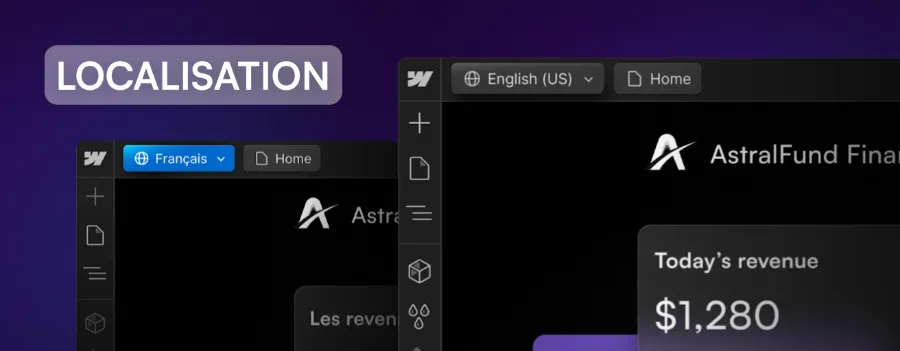
After listening to feedback from its community and identifying this need, Webflow worked throughout the previous year to address it in 2023. That is the role of Webflow Localization. Built for businesses of all sizes, this feature lets you offer a tailored web experience to users around the world.
With the localization tool, you can:
- adapt every element of your site to a given region, from design to content, without coding;
- get automatic translations through Webflow partners such as Lokalise, or use the translation management system (TMS) of your choice;
- improve your international visibility with advanced SEO tools, customizable subfolders and sitemaps adapted to each language.
For now, localization is only available to Webflow partners (we are one, so we are going to test this feature right away). It will be rolled out to all users next month.
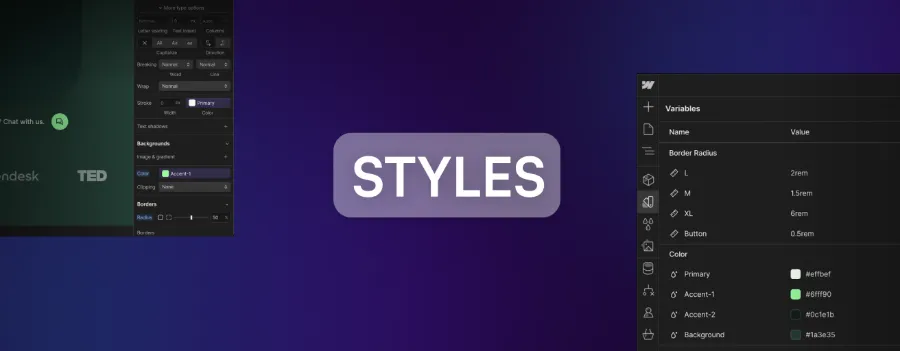
Variables to optimize your design
Manage your styles with precision
A design has to stay consistent. With the arrival of variables, Webflow gives designers a way to keep that consistency across the whole site, whether for colors, fonts or other design elements.
Design systems speed up design work, as is widely recognized. A reusable element can be deployed in different contexts without being rebuilt each time. Design becomes simpler and faster, and users get a consistent interface.
Variables in Webflow let you store information such as colors, typography or sizes, without entering it by hand each time. When you change a variable, the change applies automatically everywhere it is used. This flexibility simplifies your design work and keeps your whole project consistent.
Custom CSS properties
Within a few months, Webflow will let you add custom CSS properties and their values to your styles from the Webflow Designer. This is useful when you need advanced control over the styling of your projects. These settings will be built directly into your classes and tags, which further expands the flexibility of your design.
Much better components in Webflow
Whether you edit a main component or a component instance directly on the canvas, setting up and managing editable properties is now far more intuitive. Webflow has optimized components to make them more powerful and easier to use.
A new side panel makes life easier for content editors. It shows only the component properties they are allowed to edit. Webflow also simplifies how properties are used, from creation to deletion, as well as how they are linked to elements.
Teams that make full use of components have not been forgotten. "Slots" are being introduced. These are editable areas inside a component that give designers flexibility from the start of the design process. Slots also let the people using components customize their structure by inserting any element or other component. With this new feature, Webflow components come even closer to how React components work.
A bigger, stronger Webflow ecosystem
Ever simpler connections
In case you missed it, the Webflow ecosystem recently grew with new apps and integrations. You can already improve your workflows easily through connections with apps such as Unsplash, HubSpot, Memberstack, Finsweet and Jasper.
Webflow keeps going and is adding new apps, including Wized by Finsweet, Better Shadows and a localization app, Lokalise.
An optimized development environment
On top of what apps bring to Webflow site managers and creators, the renewed development environment offers more powerful tools for a growing community of agencies, freelancers and marketing teams.
Last August, Webflow unveiled Designer Extensions, a new set of app-building tools based on the Webflow Designer APIs. These tools let developers build apps that interact directly with a site's canvas. The REST APIs were also updated. Developers can now connect their solutions to more Webflow features, such as form elements, pages and custom code.
Webflow is launching 3 new APIs today, designed to let developers take advantage of some recent innovations:
- The first is a set of Component Designer APIs, which let developers add, connect and manage components in a Webflow site.
- The second is a new Variables Designer API, which lets developers define and manage variables such as colors, fonts or sizes.
- The third is coming next month. Webflow will launch a dedicated localization API to connect third-party translation management systems to Webflow. If you want early access, you can sign up for the beta.

Bring your Figma designs directly into Webflow
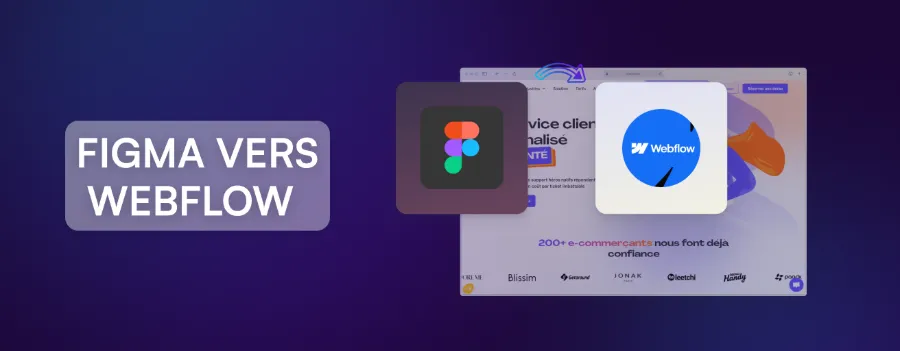
A few months ago, the Figma to Webflow plugin was introduced. It lets you transfer your wireframes and mockups from Figma to Webflow easily.
A single click is now enough to sync your Figma components with Webflow too. With this update, you can automatically import your Figma components and their associated variables directly into Webflow.
This improved version of the Figma to Webflow plugin will arrive in a few months, along with the matching Webflow app.
Bring in React elements with DevLink
DevLink lets developers transfer Webflow components into their React projects. Webflow is now adding a new feature to DevLink, React component integration. Users can add elements built with React to their Webflow sites. Soon, you will be able to design with components connected directly to real-time data, such as store locators or full applications.
Collaboration, at the heart of teamwork
Work better together
Collaboration is the key to any successful project. Webflow's new collaboration features make work between designers, developers and clients easier, and make the design process smoother.
The recently updated commenting feature lets you receive feedback directly in your project, which speeds it up. With the free commenter role, some team members can focus only on comments in Webflow.
There is also now a dedicated content editing space in Webflow. It gives marketing teams, writers, clients and other team members a clean, secure environment to edit and publish content easily.
Finally, you can publish with confidence thanks to the new publishing workflows.
Webflow Conf 2023 in brief
The Webflow conference was a major event for anyone passionate about web design. It brought together industry experts, developers, designers and entrepreneurs, all driven by the same wish to build quality websites.
From 3D to collaboration, localization and advanced optimizations, these new features will make your day-to-day work in Webflow easier. With its new releases and its engaged community, Webflow offers everything you need to build websites that are both beautiful and functional.
Explore these new features, use the available templates and resources, and join the Webflow community.
Our video summary of the keynote is below.