
Introduction
Being able to speak to a global audience has become a necessity for many companies. Markets are more and more connected, and localization, which goes well beyond simple translation, lets you reach and engage very different audiences. Webflow Localization is a major step forward in this area. This feature gives companies a solid base to adapt their site to several cultures and languages. If you use Webflow or are considering it for your site, mastering Webflow Localization will help you extend your reach and better engage your visitors.
What is Webflow Localization?
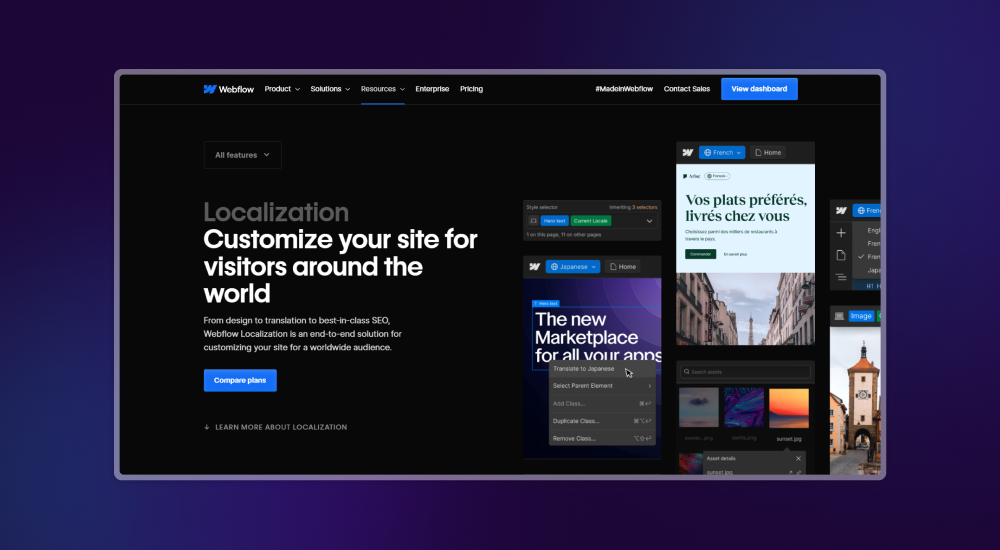
Localization means adapting a product or content to a specific culture and language. You translate the text, and you also adjust the visuals, the tone, the currency, the dates and even the site structure to reflect the cultural specifics of each region. Webflow Localization lets you do all of this. A multilingual setup focuses on translation only. Localization takes every aspect of the site into account, so it is fully adapted to the target market.
The benefits of localization
Reaching a global audience
When you adapt your site to several languages and cultures, you open it to an international audience. You can reach potential customers in regions you had not considered, and increase your potential for growth and revenue.
Improving the user experience
Content adapted to its readers' culture speaks to them more. Drop-offs go down, engagement goes up and conversions follow. Visitors stay longer on a site that speaks to them in their language and reflects their culture.
SEO optimization
A localized site gains visibility on local search engines. Done well, this work brings more traffic and more conversions. Search engines favor content that is relevant to users, and localized content is often seen as more relevant for local searches.
How does Webflow stand out in localization?
Native localization or third-party solutions
Many platforms rely on plugins or third-party tools for localization. These solutions are often heavy and complicated. Webflow offers native localization, built into the tool. You get better integration, better performance and a smoother experience for users.
The advantages of native localization
Faster setup, better compatibility and a more polished user experience give Webflow's native localization a clear edge over third-party solutions. Since everything is built in, the risk of errors and compatibility issues is also much lower.
How does Webflow Localization work?
Webflow has designed a simple interface that makes localization easy. No more juggling several plugins or tools, everything you need is built into the platform.
Using the localization interface
The Webflow interface makes it easy to manage the different language versions of your site. It is designed so you can use it even without deep technical knowledge.
Translating content
Whether it is static content or CMS content, Webflow makes translation easy. You can translate manually or connect third-party translation tools to automate the work. You choose the method that best fits your needs.
Customizing the design by language
Adapt visual elements, such as images or colors, to each culture. An image that works well with a French audience will not necessarily have the same effect on a Japanese audience. Localization lets you adjust each element so it speaks to your target audience.
Managing element visibility by language
Some content is not relevant in every language. With Webflow, you can choose to show or hide these elements for each language version. Your site stays relevant for every segment of your audience.
A 5-step guide to setting up localization in Webflow
We have put together a short guide to set up localization in Webflow easily, with advanced features for an accurate translation adapted to each culture. Follow these steps to extend your international reach and optimize your site for a multilingual audience.
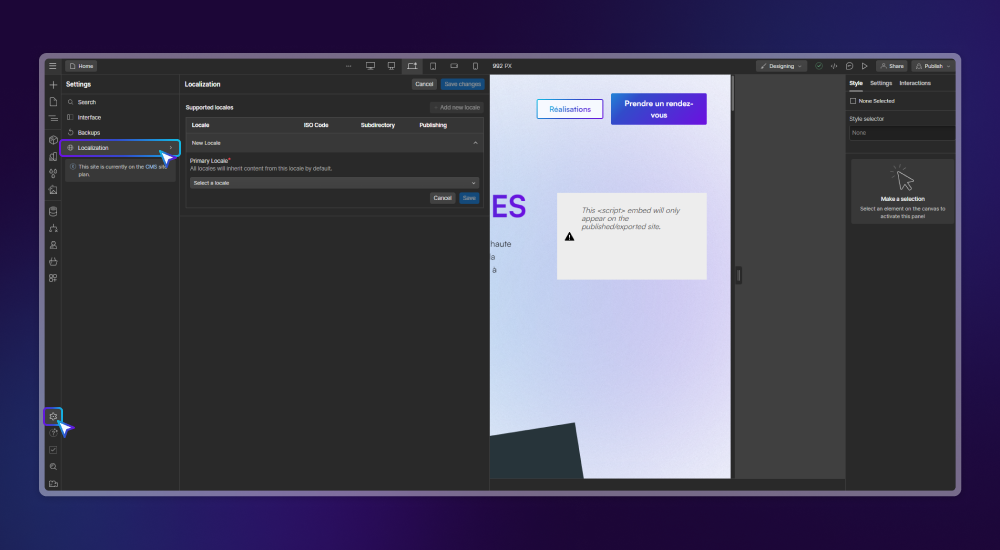
Step 1, open the localization settings
- Log in to your Webflow dashboard.
- Go to Settings and select the Localization option.
- This section lets you manage your site's language settings.
Step 2, add a new language
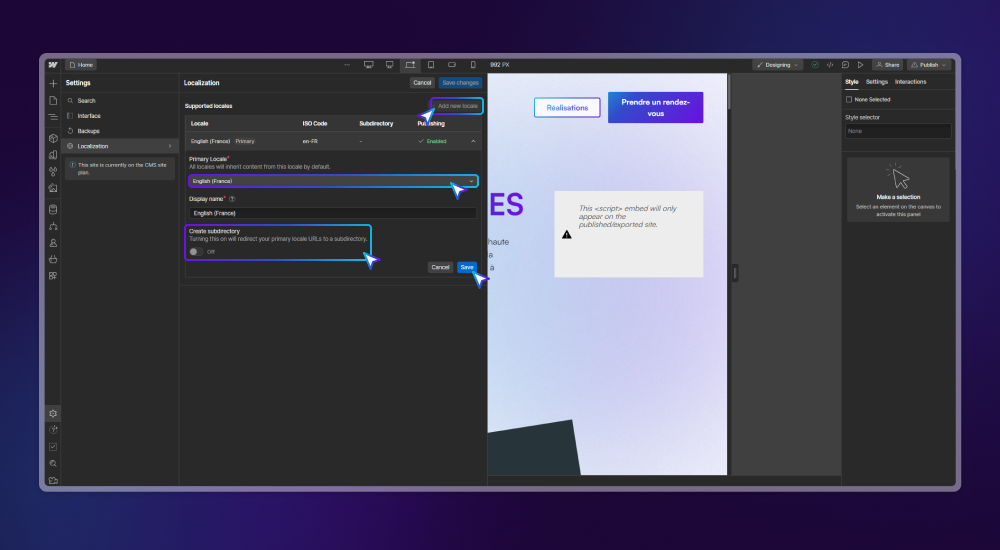
- Click Add New Locale to add a new language to your site.
- It costs $9 per month per language, a competitive price compared with other translation solutions.
- Add the language of your choice and turn on the Enable Publishing to the Subdirectory option to publish the language in its own subdirectory.
- Save your changes to keep the new configuration.
Step 3, translate your page automatically
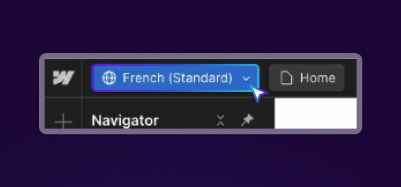
- In the top left corner of the Webflow Designer, an option now lets you switch languages. Select the language you just added, for example French.
- Use the Cmd + K shortcut (or Ctrl + K on Windows) to open the search bar.
- Type Translate Page to French (or the language of your choice) to have AI translate your page automatically.
- Your page content is translated in a few moments, which saves you a lot of time.
Step 4, review and customize
- Review your site after the automatic translation. AI is an efficient tool, but it is not infallible. Check that the translation is accurate and sounds natural to a native speaker.
- Use this step to customize images and other media so they are relevant in each language. This strengthens engagement and the experience of your target audience.
Step 5, publish
- Once you have approved the translation and customization, all you have left to do is publish your Webflow site.
Setting up localization in Webflow is simple, and it lets you extend your international reach. By following this guide, you can easily adapt your site to several cultures and languages, and improve both the user experience and your international SEO. Keep in mind that careful review and configuration are what make your translated content truly speak to your target audience.
Conclusion
Webflow Localization deeply changes the way Webflow sites speak to a global audience. When companies understand this feature and implement it well, they can extend their reach and build a stronger connection with their audience, whatever its language and culture. At Ouiflow, we already use Webflow's localization tool. As markets become more connected, localization will take up even more room. With Webflow leading the way on this topic, companies are well placed to benefit from it.